
The Ultimate Guide to CPS Test: Boost Your Clicking Speed and Gaming Performance
In the fast-paced world of online gaming and competitive digital environments, every millisecond counts. One crucial metric that often determines a player’s agility and responsiveness is their Clicks Per Second (CPS) score. A CPS Test, also known as a Click Speed Test, is a simple yet powerful tool designed to measure how many times a user can click their mouse or trackpad within a given timeframe.
CPS Test
Test your clicking speed in 5 seconds
Initially gaining popularity among gamers, particularly in titles like Minecraft where rapid clicking can significantly impact Player vs. Player (PvP) battles, the CPS test has evolved into a widely recognized benchmark for mouse dexterity. Beyond gaming, understanding and improving your CPS can enhance overall computer proficiency, making everyday tasks more efficient. This comprehensive guide will delve into the intricacies of the CPS test, its benefits, how to calculate your score, advanced clicking techniques, and much more.
How to Take a CPS Test: A Step-by-Step Guide
Taking a CPS test is straightforward, designed to be accessible to users of all skill levels. While the exact interface may vary slightly across different platforms, the core process remains consistent [3]. Here’s a general step-by-step procedure to measure your mouse clicking speed:
Understanding Your CPS Score: Calculation and Interpretation
Your CPS score is a direct measure of your clicking efficiency. It quantifies how many clicks you can register in a single second. The calculation is straightforward and fundamental to all CPS test tools:
Clicks Per Second (CPS) = Total Number of Clicks / Total Time in Seconds.
For example, if you manage to click 30 times in a 5-second test, your CPS would be calculated as 30 clicks / 5 seconds = 6 CPS
What is a Good CPS Score?
The definition of a “good” CPS score can vary depending on the context, but general benchmarks exist. Most people can achieve a CPS between 4 and 7 with regular clicking. However, competitive gamers often aim for much higher scores, as even a slight increase in CPS can provide a significant advantage in fast-paced games.
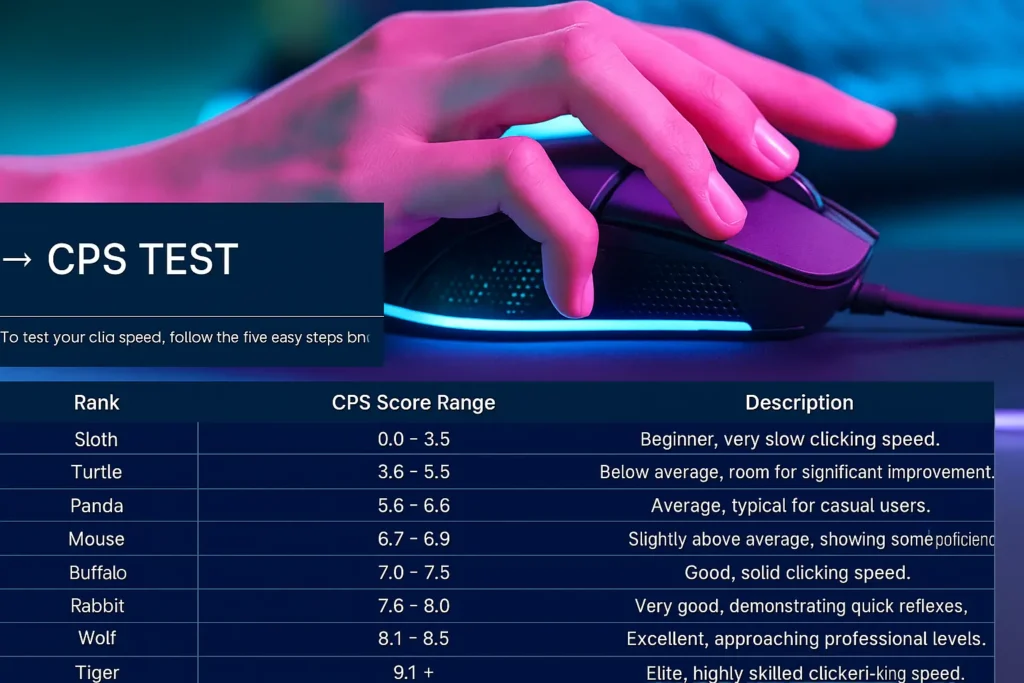
Many CPS test websites provide ranking systems or score distributions to help users understand where their performance stands compared to others. These rankings are often categorized by animal names, with faster animals representing higher CPS scores.
| Rank | CPS Score Range | Description |
|---|---|---|
| Sloth | 0.0 – 3.5 | Beginner, very slow clicking speed. |
| Turtle | 3.6 – 5.5 | Below average, room for significant improvement. |
| Panda | 5.6 – 6.6 | Average, typical for casual users. |
| Mouse | 6.7 – 6.9 | Slightly above average, showing some proficiency. |
| Buffalo | 7.0 – 7.5 | Good, solid clicking speed. |
| Rabbit | 7.6 – 8.0 | Very good, demonstrating quick reflexes. |
| Wolf | 8.1 – 8.5 | Excellent, approaching professional levels. |
| Tiger | 8.6 – 9.0 | Elite, highly skilled clicker. |
| Cheetah | 9.1+ | World-class, exceptional clicking speed. |
It’s important to note that while these rankings provide a general idea, the most accurate CPS scores are often achieved in tests lasting between 5 to 10 seconds. Longer tests can lead to muscle fatigue, potentially lowering your average CPS
The Importance of CPS in Gaming and Beyond
While the CPS test might seem like a simple game, its implications, especially in the gaming world, are significant. A higher CPS can translate directly into improved performance in various game genres, particularly those requiring rapid inputs.
Minecraft PvP
In games like Minecraft, particularly in Player vs. Player (PvP) combat, CPS is a critical factor. The ability to click faster allows players to land more hits on opponents, initiate and maintain combos, and gain a decisive advantage in duels. Minecraft itself registers clicks within a certain range (typically 4-8 CPS), so while extremely high CPS might not always be fully registered by the game, maintaining a consistent 6-10 CPS is often recommended for optimal PvP performance.
Other Games and Applications
Beyond Minecraft, many other games benefit from high clicking speed, including various FPS (First-Person Shooter) games and other clicker-based challenges. The rapid response time developed through CPS practice can also be beneficial in real-world scenarios, such as data entry, graphic design, or any task requiring precise and quick mouse interactions.
Stress Release and Cognitive Benefits
Surprisingly, some users find CPS tests to be a form of stress release, providing a quick and engaging activity to refresh their minds. The focus and concentration required can also offer minor cognitive benefits, improving hand-eye coordination and reaction time [
Advanced Clicking Techniques to Boost Your CPS
Achieving a high CPS often goes beyond simple regular clicking. Professional gamers and enthusiasts have developed several advanced techniques to maximize their clicks per second. While some require practice and specific mouse characteristics, mastering them can significantly elevate your score.
Regular Clicking
This is the most basic and natural method, involving a single finger (usually the index finger) pressing the mouse button. While it’s easy to learn, it generally yields the lowest CPS (around 3-9). To improve regular clicking, focus on relaxing your hand and arm to avoid tension, and position your finger slightly above the button for quicker presses.
Butterfly Clicking
Butterfly clicking involves using two fingers (typically the index and middle fingers) to alternately press the mouse button rapidly. This technique effectively doubles your potential clicking rate, allowing for significantly higher CPS scores, often ranging from 15 to 25 CPS for skilled users. It’s crucial to develop a consistent rhythm and ensure your mouse supports double-clicking for optimal results.
Jitter Clicking
Jitter clicking is a more physically demanding technique that involves tensing your forearm and vibrating your hand to rapidly press the mouse button. This method can achieve 10-20 CPS, but it requires considerable practice and can lead to muscle strain or even conditions like Arthritis or Carpal Tunnel Syndrome if not performed carefully.
Drag Clicking
Drag clicking is arguably the fastest clicking technique, capable of generating an astonishing number of clicks (25-100+ CPS) in a short period. This method involves dragging your finger across the mouse button, creating friction that causes the mouse to register multiple rapid clicks.
Kohi Clicking
Originating from the Kohi Minecraft server, Kohi clicking is a technique that involves rapid finger spasms, where players use two fingers to strike the mouse alternatively. It’s similar to butterfly clicking but often emphasizes a more controlled, rhythmic approach to maximize registered clicks, especially in PvP scenarios.
Autoclicking
Autoclicking involves using software or programmable mouse features to automate clicks. While theoretically capable of extremely high CPS (up to 1000 CPS), autoclicking is generally considered cheating in online games and can lead to bans or account suspension. It bypasses the true test of human clicking speed and is not recommended for legitimate practice or competitive play.
World Records and Global Performance
The world of CPS testing is competitive, with enthusiasts constantly pushing the boundaries of human clicking speed. While specific records can vary by platform and test duration, some impressive feats have been recorded.
According to Recordsetter.com, a notable world record holder is Dylan Allred from Las Vegas, Nevada, who achieved 1,051 clicks in 10 seconds. This translates to an astounding 105.1 CPS, though it’s important to consider the specific conditions and techniques used for such records.
Global statistical data from various CPS test platforms also provides insights into average performance and leading regions:
•Weighted Average CPS: Approximately 7.01 CPS from over 32 million sampled testers [4].
•Leading Countries by Average CPS: South Korea (7.16 CPS), Australia (7.12 CPS), United States (7.03 CPS), United Kingdom (6.94 CPS).
These statistics highlight the global interest in CPS testing and the impressive speeds achieved by dedicated clickers worldwide.
Frequently Asked Questions (FAQs)
Conclusion
The CPS Test is more than just a simple online game; it’s a valuable tool for measuring and improving your mouse clicking speed, with direct applications in gaming performance and general computer proficiency. By understanding how CPS is calculated, exploring various clicking techniques, and practicing consistently, you can significantly enhance your digital dexterity.
Whether you’re a competitive gamer aiming for world records or simply looking to improve your everyday computer interactions, the journey to a higher CPS is both challenging and rewarding. Remember to prioritize hand health, practice responsibly, and enjoy the process of becoming a faster, more efficient clicker. For any inquiries or issues, you can contact us anytime.